
WebVTT Protocol Guide
步骤 1
WEBVTTFile Identifier
Every WebVTT file must start with WEBVTT as the first line of the file, and it must occupy a single line. This is the file format identifier, used to inform the parser that this is a WebVTT format subtitle file.
WebVTT files must use UTF-8 encoding.
步骤 2
00:00:01.000 --> 00:00:03.000
Hello, world!
Or with an identifier:
subtitle-001
00:00:01.000 --> 00:00:03.000
Hello, world!
Subtitle Cue
Each subtitle cue consists of the following parts:
- Optional identifier: Used to reference the subtitle, cannot contain
-->or newlines - Timeline: Format is
start time --> end time - Subtitle text: The displayed subtitle content, can contain multiple lines
Cues are separated by blank lines
Time format:
HH:MM:SS.mmm(hours:minutes:seconds.milliseconds)- or
MM:SS.mmm(minutes:seconds.milliseconds)
Minutes and seconds are required.
步骤 3
WEBVTT

NOTE
This is a comment.
Comments can be single line or multi-line.

NOTE
And there can be multiple comments.
Comments can also alternate with cues
Comments (NOTE)
NOTE: Comments, used to add author notes, will not be displayed on the screen.
Comment content can be single line or multi-line. A subtitle file can have multiple comments.
步骤 4
Example:
WEBVTT
00:00:32.500 --> 00:00:34.500
To grow up on these shores. To witness this water, every day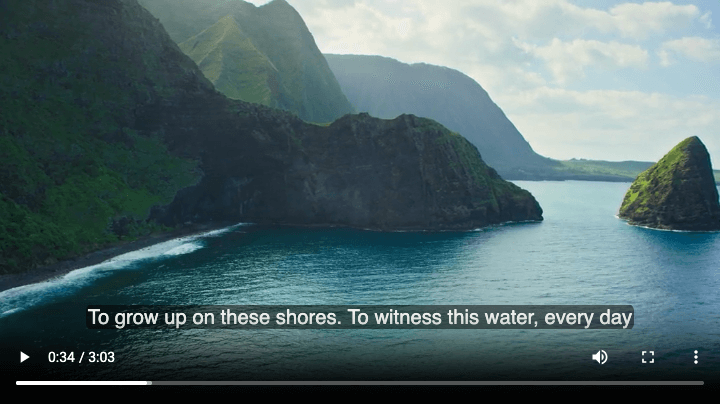 Figure 1: Subtitle without any modifications
WEBVTT
00:00:32.500 --> 00:00:34.500 size:30%
To grow up on these shores. To witness this water, every day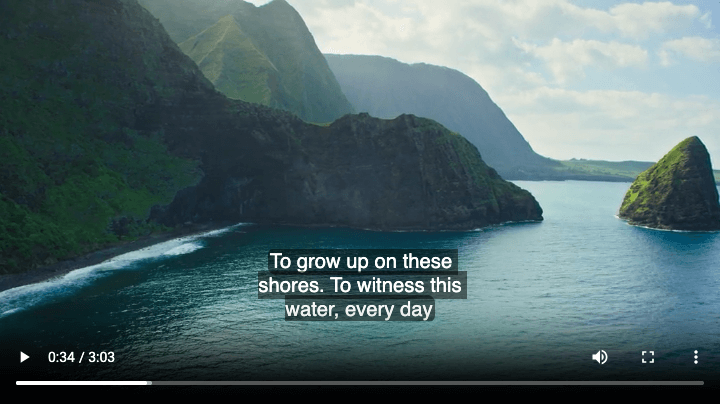 Figure 2: size:30% (default position:50%, align:center)
WEBVTT
00:00:32.500 --> 00:00:34.500 size:30% position:20%
To grow up on these shores. To witness this water, every day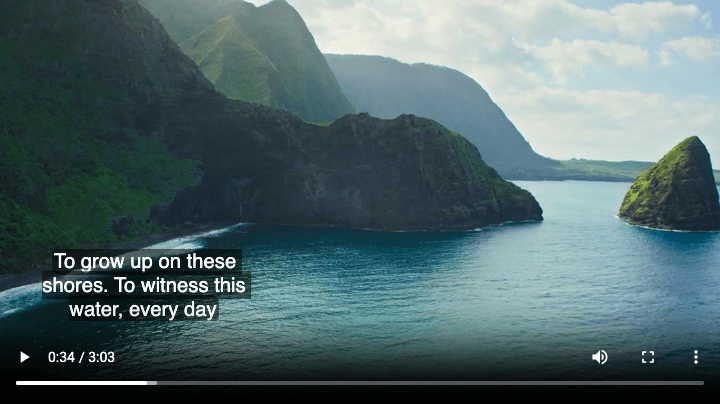 Figure 3: size:30% position:20% (default align:center)
WEBVTT
00:00:32.500 --> 00:00:34.500 size:30% position:20% align:left
To grow up on these shores. To witness this water, every day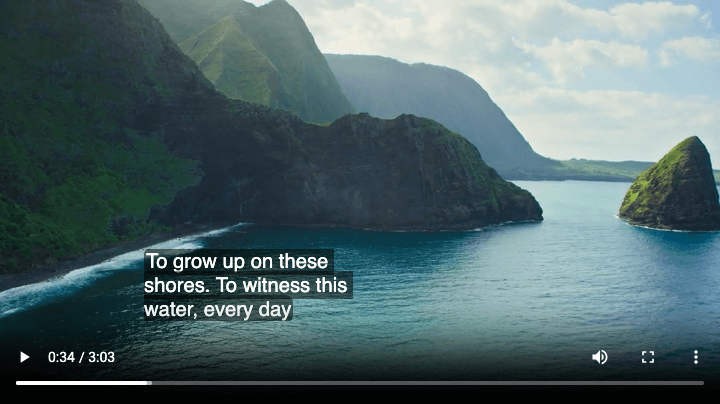 Figure 4: size:30% position:20% align:left
WEBVTT
00:00:32.500 --> 00:00:34.500 size:30% position:20% align:right
To grow up on these shores. To witness this water, every day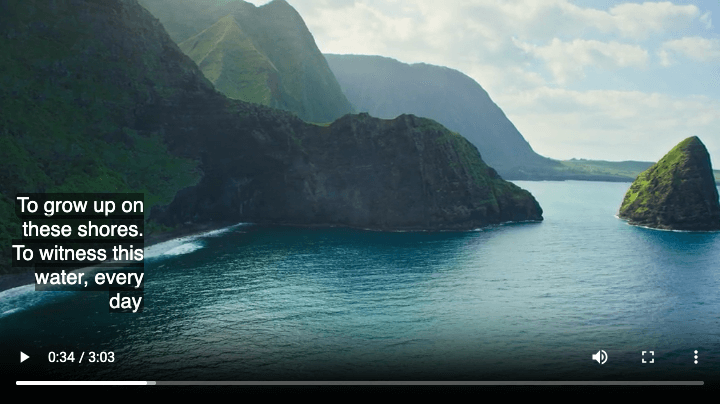 Figure 5: size:30% position:20% align:right
Timeline Settings
Optional settings can be added after the timeline, separated by spaces:
- size: Width of the subtitle area, range 0-100%
You can imagine the subtitle on the screen is located in a box (cue-box),sizemeans the percentage of screen width this box occupies - position: Horizontal position, range 0-100%, default is centered (50%) The position of the subtitle in the horizontal direction, from the left side of the screen to the right side means 0%~100%, this property is related to
align. The value of thealignproperty indicates which edge of the subtitle box aligns withposition. - align: Alignment method, options are
start,center(default),end,left,right
Thestartandendoptions respect the left-to-right order of the language. For right-to-left languages, such as Arabic and Hebrew,startmeans right side,endmeans left side
步骤 5
WEBVTT

STYLE
::cue {
  color: white;
  background-color: rgba(0, 0, 0, 0.8);
}
::cue(v[voice="John"]) {
  color: #FFD700;
  font-weight: bold;
}
::cue(.cn) {
  color: #00FF88;
}
Styles (STYLE)
The STYLE section is used to define CSS styles for subtitles and must be located after the header section and before the first subtitle cue.
Common CSS selectors:
::cue: Select all subtitle text::cue(.class): Select text with a specific class::cue(v[voice]): Select specific voice tags::cue([lang="en-US"]): Select specified language::cue-region: Select all region subtitle text::cue-region(#id): Select region subtitle text with specified id
Supported CSS properties include color, font, background, text alignment, etc., but with limitations.
步骤 6
00:00:10.000 --> 00:00:12.000
<b>Bold text</b>

00:00:10.000 --> 00:00:12.000
<i>Italic text</i>

00:00:10.000 --> 00:00:12.000
<u>Underlined text</u>
Example:
WEBVTT
00:00:32.500 --> 00:00:34.500
To <b>grow up</b> on these <u>shores</u>. To witness this water, <i>every day</i>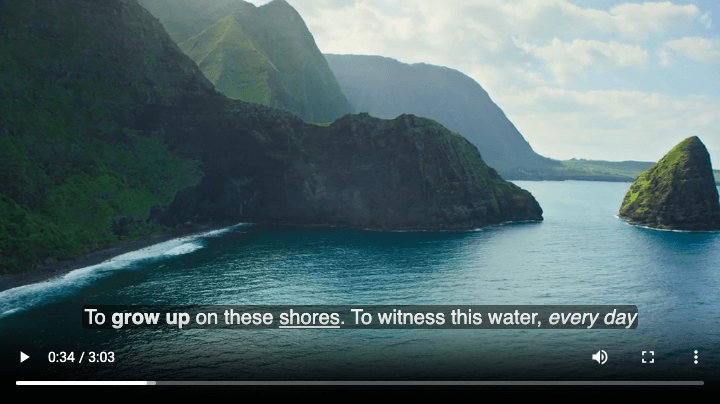 Text formatting tags
Text Formatting Tags
WebVTT supports the following text formatting tags:
<b>: Bold<i>: Italic<u>: Underline<v>: Voice tag, used to identify speakers<c>: Custom class name tag, can contain multiple class names (e.g.,<c.red.bg_yellow>)
<v> and <c> are discussed separately in the sections below
步骤 7
Example:
WEBVTT
STYLE
::cue(v[voice="Alice"]) {
color: cyan;
}
::cue(v[voice="Bob"]) {
color: yellow
}
00:00:32.500 --> 00:00:34.500
<v Alice>To grow up on these shores.</v>
<v Bob>To witness this water, every day</v>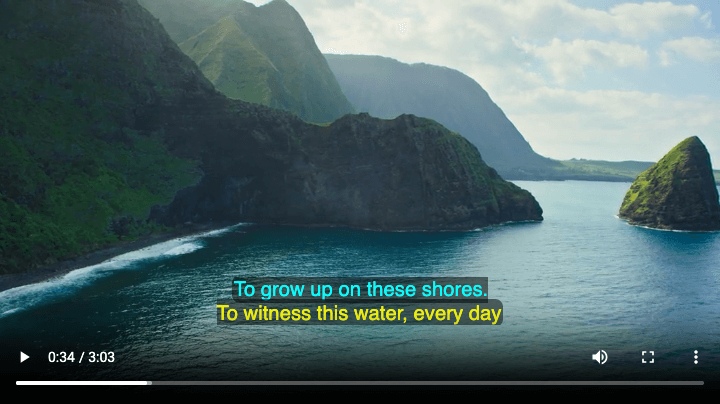 Voice tags
Voice Tag <v>
The <v> tag is used to identify speakers: In the example, the speakers are named Alice and Bob. The specified speakers will not be displayed in the subtitles, but are distinguished by styles, positions, and other means. Through CSS, you can use ::cue(v[voice="Alice"]) to set styles for specific speakers.
Note: There cannot be blank lines in the
STYLEsection.
步骤 8
00:00:20.000 --> 00:00:22.000
<c.highlight>Important information</c>

00:00:22.500 --> 00:00:24.000
<c.cn>Chinese translation</c>

00:00:24.500 --> 00:00:26.000
Normal text <c.sound>[Sound effect]</c>
Example:
WEBVTT
STYLE
::cue(c) {
color:#4E71FF;
background-color:#DDF4AA;
}
::cue(c.highlight) {
font-size:30px;
font-weight:800;
color:yellow;
background-color:green;
}
00:00:32.500 --> 00:00:34.500
<c>To grow up on these shores.</c>
<c.highlight>To witness this water, every day</c>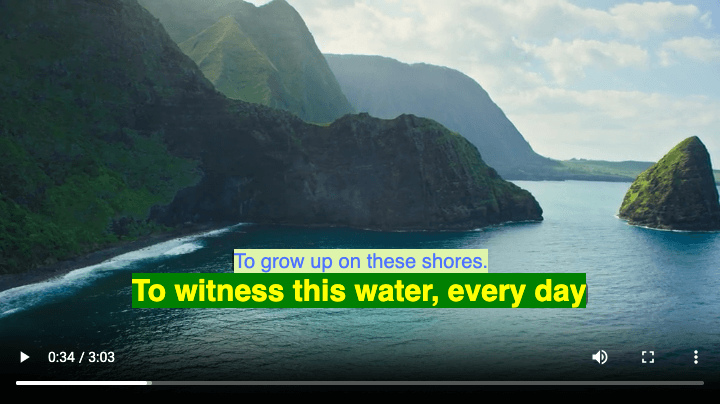 Text formatting tags
Custom Class Tag <c>
The <c> tag allows you to add custom class names to text fragments for CSS style control.
Syntax: <c.className>text</c>
Common use cases:
- Multilingual subtitles (e.g., Chinese-English comparison)
- Special effect markers (e.g., sound effects, background music)
- Highlighting important information
The protocol also specifies styles like <c.red.bg_yellow>, requiring players to support a set of color styles, including subtitle colors (https://w3c.github.io/webvtt/#default-text-color) and background colors (https://w3c.github.io/webvtt/#default-text-background). When using these built-in styles, subtitle authors do not need to specify STYLE.
Note: Built-in subtitle colors and background colors are well supported by players like VLC, but the browser HTML
videotag has almost no support.
步骤 9
WEBVTT

REGION
id:top
width:100%
lines:2
regionanchor:0%,0%
viewportanchor:0%,0%
scroll:up

REGION
id:bottom
width:100%
lines:3
regionanchor:0%,100%
viewportanchor:0%,100%
Example:
WEBVTT
STYLE
::cue-region(#top) {
color: yellow;
}
REGION
id:top
viewportanchor:0%,20%
00:00:32.500 --> 00:00:34.500 region:top
To grow up on these shores. To witness this water, every day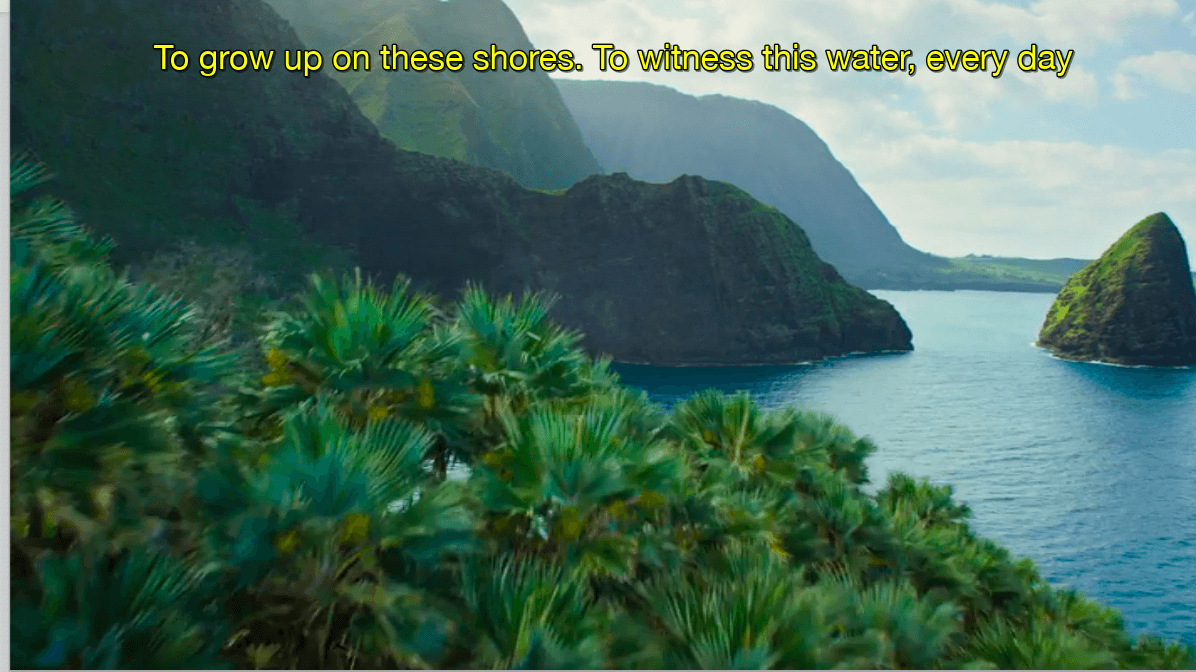 Region anchor (Screenshot from VLC player)
Region (REGION)
REGION is used to define subtitle display regions, allowing subtitles to be displayed at different positions on the screen. By using region:regionID in the timeline settings, you can specify which region the subtitle should be displayed in.
Main properties:
- id: Region identifier, referenced in subtitle cues via
region:id - width: Region width
- lines: Maximum number of lines
- regionanchor: Region anchor (e.g.,
0%,0%) - viewportanchor: Viewport anchor (e.g.,
0%,100%) - scroll: Scroll method (
upmeans scroll up)
Note: Player applications support some properties, but browsers have almost no support
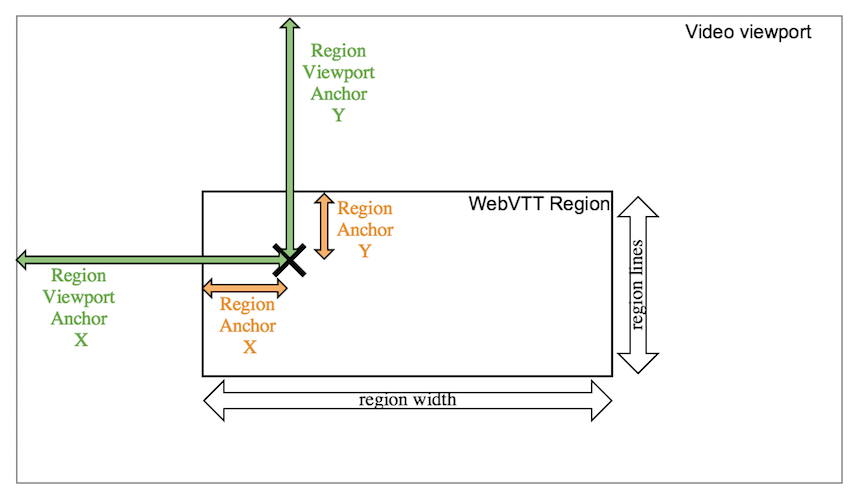 The meaning of viewportanchor and regionanchor in regions. Image reference